A Desktop Publishing Studio
for Novels
Novel Engine pairs you with a full editorial team — a story coach, ghostwriter, first reader, developmental editor, task master, copy editor, and publisher — all running locally on your machine.
Your manuscript stays on your laptop. Your copyright stays yours.
Free & open source · AGPL-3.0 · No account. No cloud. No telemetry.
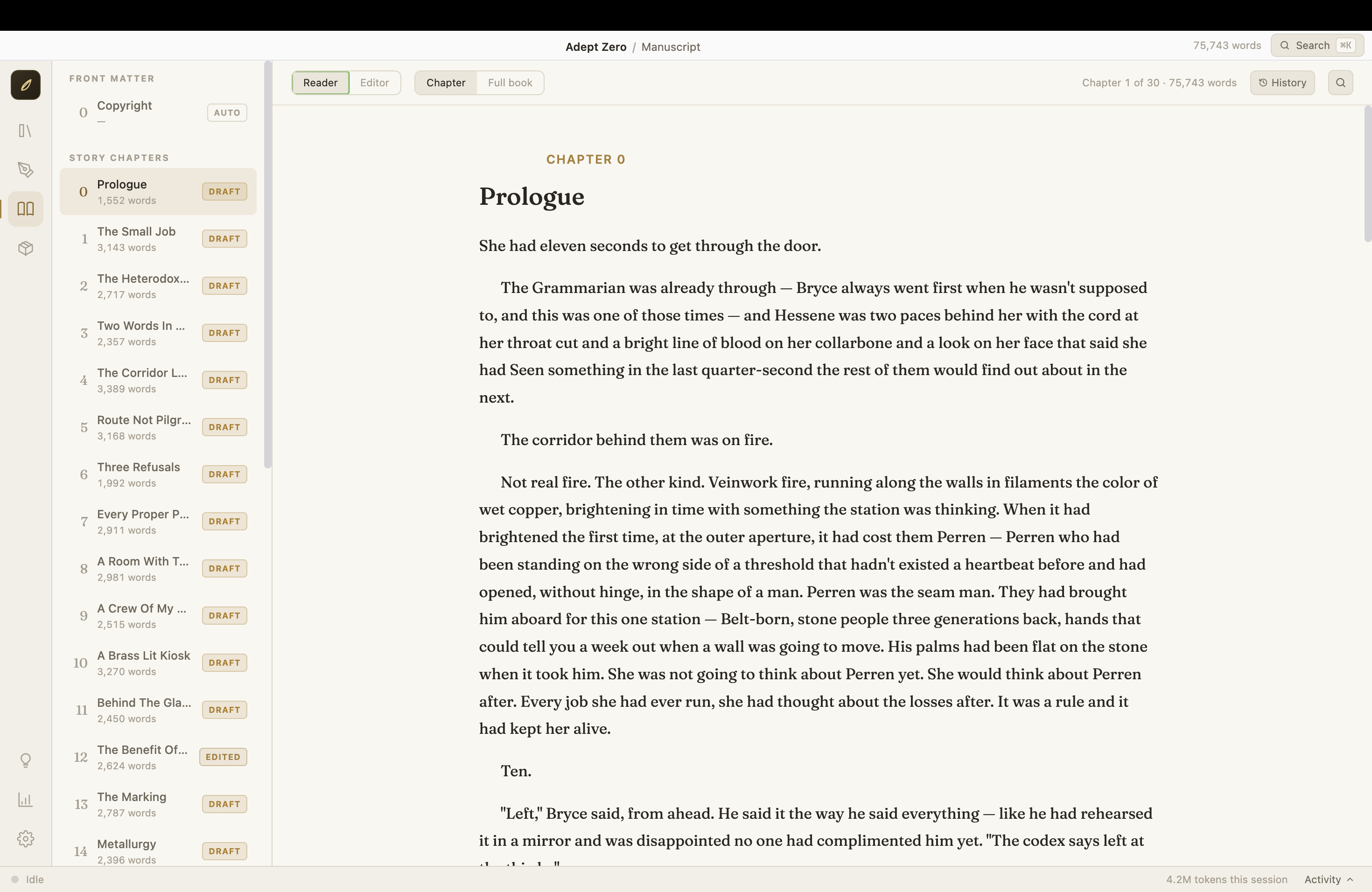
Pitch to Published
A 15-step pipeline takes your idea from a rough pitch to an export-ready manuscript (DOCX/EPUB) you can upload to KDP or send to an editor — then research agents and publishers, generate personalized query letters, and track submissions.
Your Voice, Protected
An interview with Verity, the ghostwriter, captures your prose style in a Voice Profile. Every draft sounds like you — and you can edit any chapter by hand, with your changes tracked and respected.
Privacy-First
Runs on the AI you choose: your Claude account, or free local models via Ollama. There is no Novel Engine cloud. Your drafts never leave your machine except to the AI service you connect.
📄 Your Words Are Yours
Novel Engine is AGPL-licensed open-source software, but the license applies to the application code only. Manuscripts, pitches, outlines, story bibles, and exported books you create with it are your exclusive property and are not covered by the AGPL. Nothing about using Novel Engine open-sources, licenses, or encumbers your writing in any way. Publish on Amazon, sell the film rights, keep it in a drawer — it's yours.
Seven editors. One desk.
Each agent has one job and does it well. Every agent's instructions are a plain text file on your computer that you can read and edit — no black boxes.
Talks through your idea, then writes the pitch — premise, themes, characters, hook.
The only agent that writes prose. Learns your voice from an interview, drafts every chapter in it, and implements revisions.
Reads your manuscript cold — no notes, no context — and tells you what a real reader would feel.
Deep structural assessment: character arcs, pacing, scene necessity, theme, narrative logic.
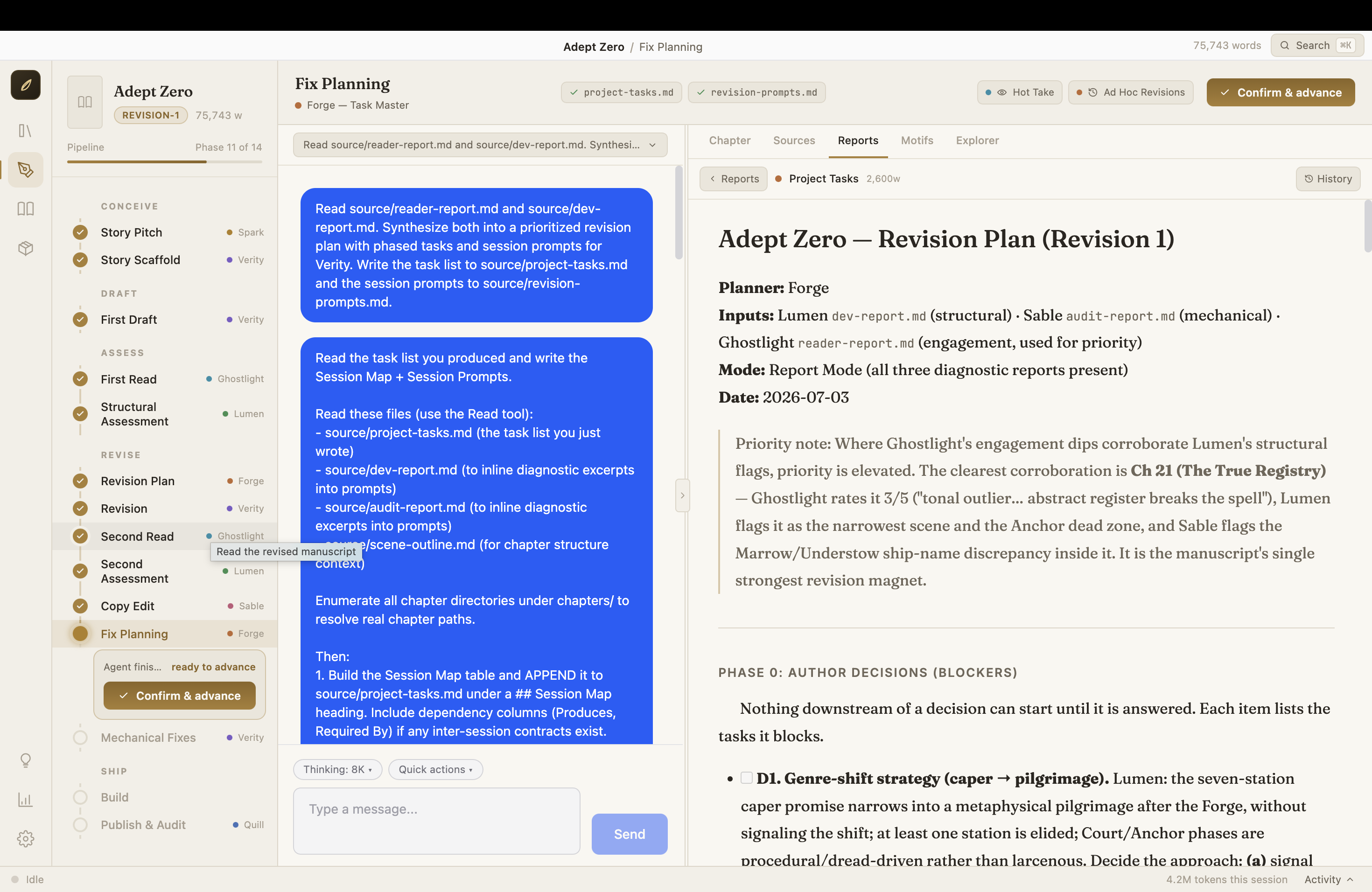
Turns all the feedback into a prioritized, step-by-step revision plan.
Grammar, consistency, and mechanical polish, with an audit report and style sheet.
Final audit plus publication metadata — title, description, keywords, categories, back-cover copy. Also researches agents and publishers, generates personalized query letters, and tracks your submission targets.
From pitch to published, in 15 phases
Your book moves through 15 phases, each with a clear deliverable. Nothing advances until you confirm it — the app never runs ahead of you.
A pitch document, scene outline, and story bible.
Every chapter drafted in your voice — one click can auto-draft the whole book, chapter by chapter, with quality checks.
A reader report and a developmental edit.
A prioritized task list, the revision executed session by session with your approval, then fresh reads to confirm it worked.
A line-level audit and the fixes applied.
Your manuscript compiled to Markdown, DOCX, and EPUB, plus publication metadata — then Quill researches agents and publishers, generates query letters, and tracks submissions.
Already have a manuscript? Import an existing book (Word or Markdown) — chapters are detected automatically, and the AI can backfill the outline, bible, and voice profile from your text.
Getting started
Three steps. The middle one involves the Terminal once — that's the most technical thing you'll ever have to do. The app handles everything else.
Download and install
Grab the installer for your platform from the Releases page — macOS (.dmg), Windows (installer .exe), or Linux (.deb).
- Drag Novel Engine to Applications
- Right-click (or Control-click) the app → Open → Open
- If macOS still blocks it: System Settings → Privacy & Security, scroll down, click "Open Anyway"
Connect an AI
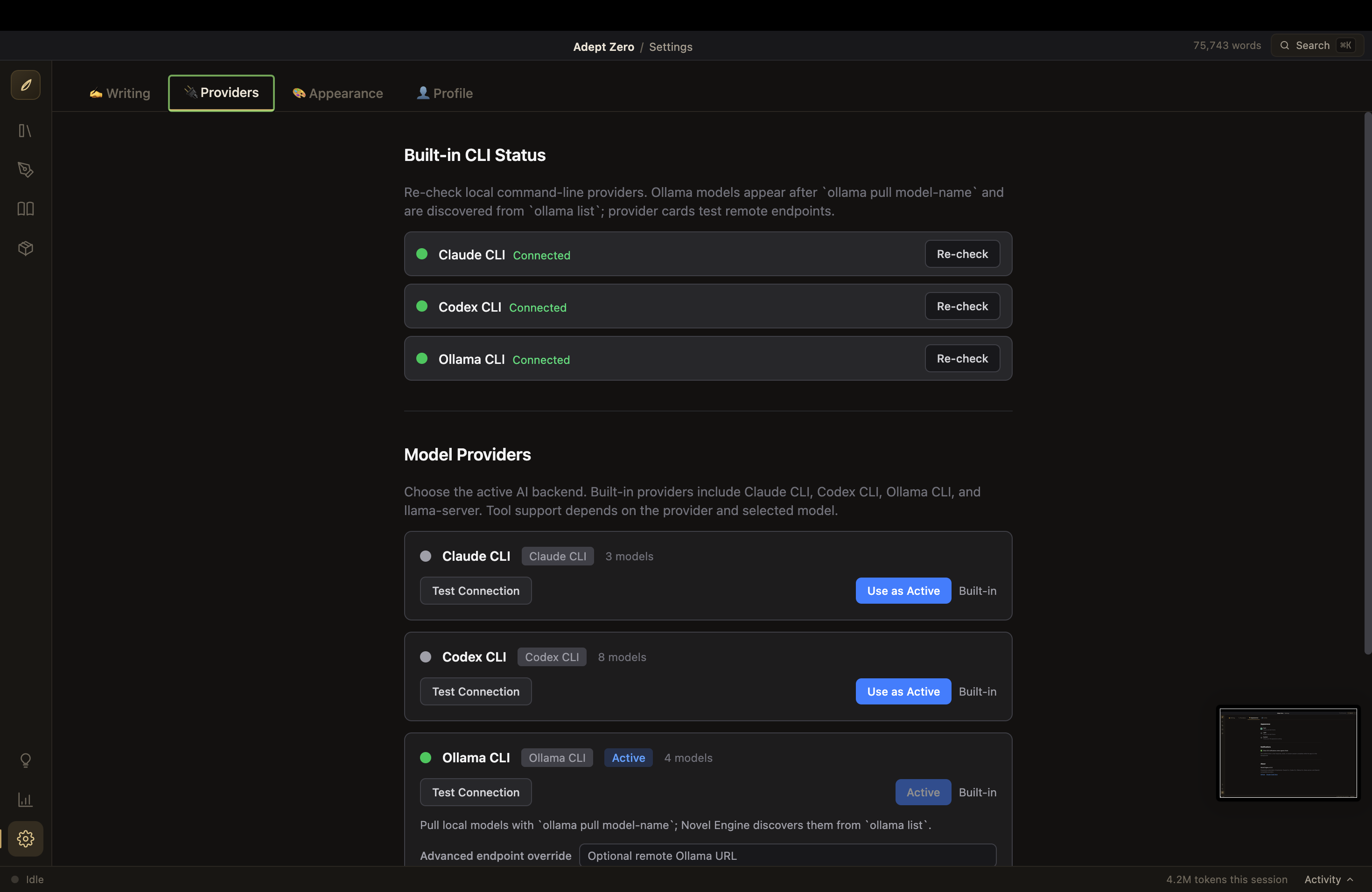
Novel Engine doesn't ship with an AI inside — it drives one you connect. You need one of these:
| Option | Cost | Setup |
|---|---|---|
| Claude (recommended — best prose) | Claude subscription | Install Node.js (big green button), then in Terminal: npm install -g @anthropic-ai/claude-code and claude login |
| Ollama (free, 100% local & private) | Free | Install Ollama (normal app installer), then in Terminal: ollama pull a model of your choice |
| Codex CLI | OpenAI account | If it's installed, Novel Engine finds it automatically |
More backends — llama-server and any OpenAI-compatible endpoint — are covered in the technical guide.
First launch
The Onboarding Wizard takes it from there:
- 1Welcome — what you're looking at
- 2Provider Setup — the app checks for Claude / Codex / Ollama and tells you what it found
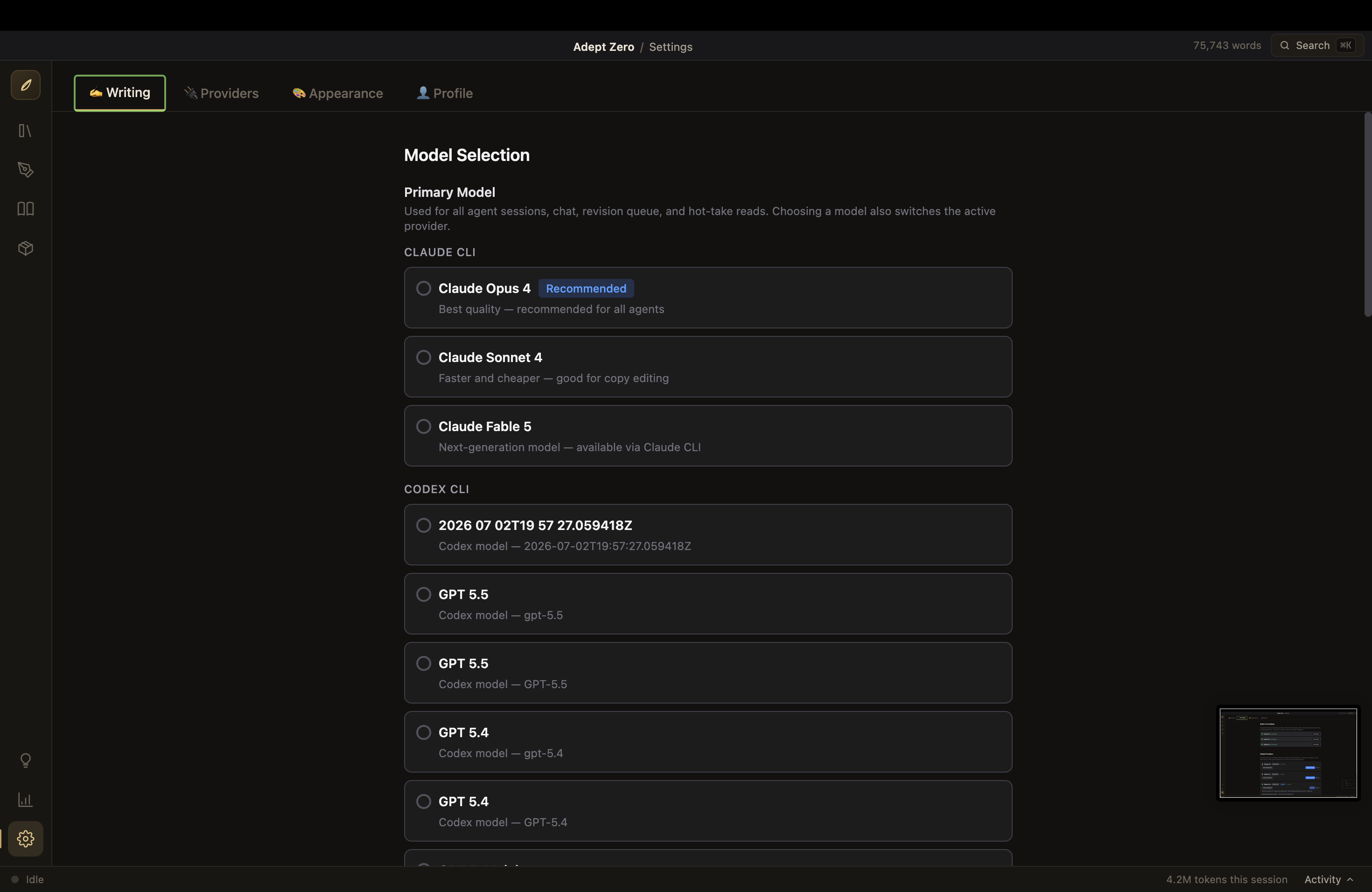
- 3Model Selection — pick the AI model to write with (change it anytime in Settings)
- 4Author Profile — a short "who you are as a writer" note the agents read (or skip it)
- 5Ready — name your first book and go
A guided tour starts automatically, and a floating Help assistant can answer "how do I…" questions at any time.
What else is in the box
Query Manager
After your book is published, Quill researches agents and publishers using web search, auto-populates submission targets, generates personalized query letters, and tracks your submission status — all in a dedicated view with filters and per-field AI fill.
Web search for all providers
Every AI backend (Claude, Ollama, llama-server, Codex) can search the web for research, so Quill's query-target research works regardless of which provider you use.
Pitch Room
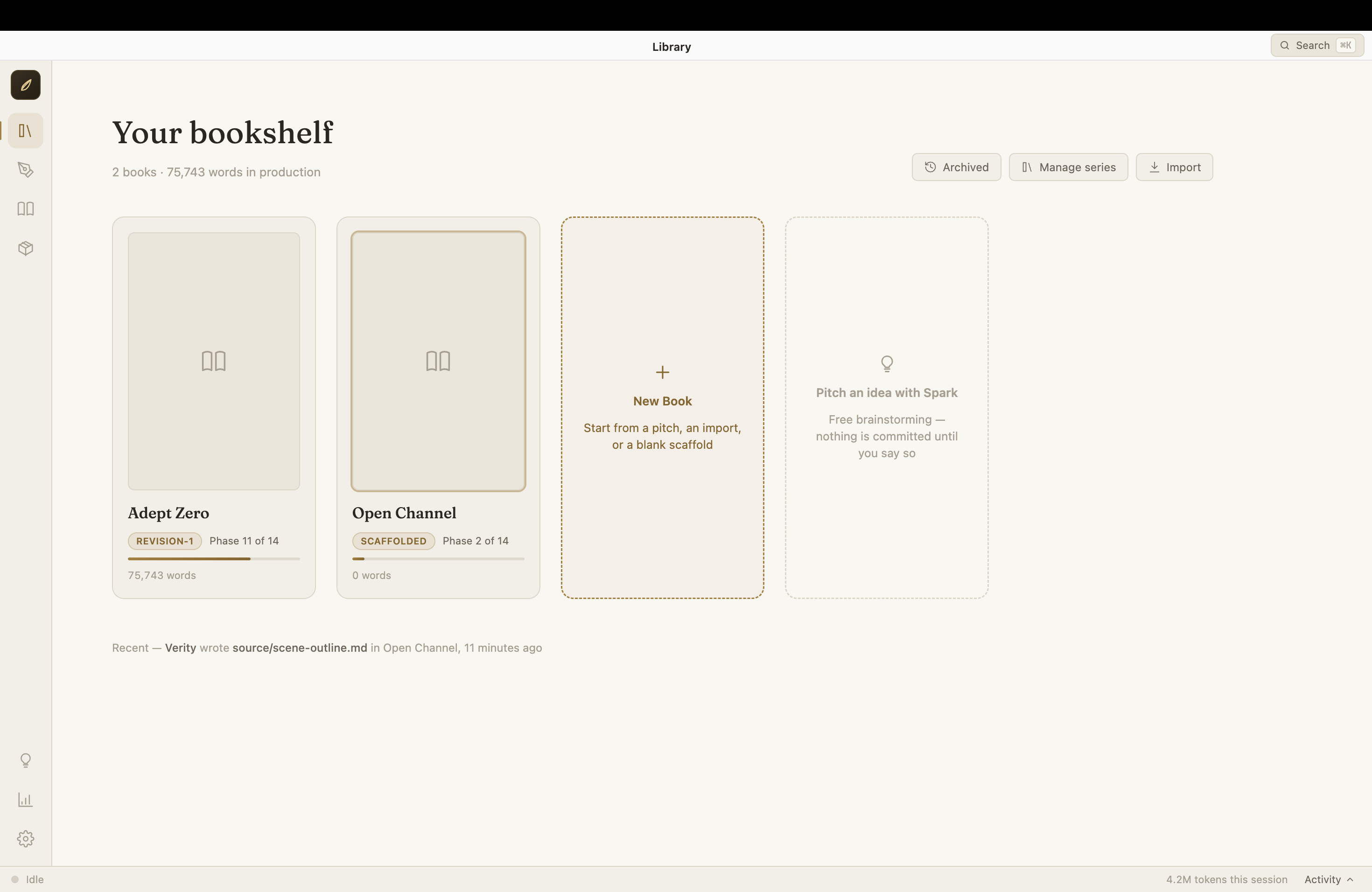
Brainstorm freely with Spark; keep, shelve, or discard ideas before they become books.
Write in it yourself
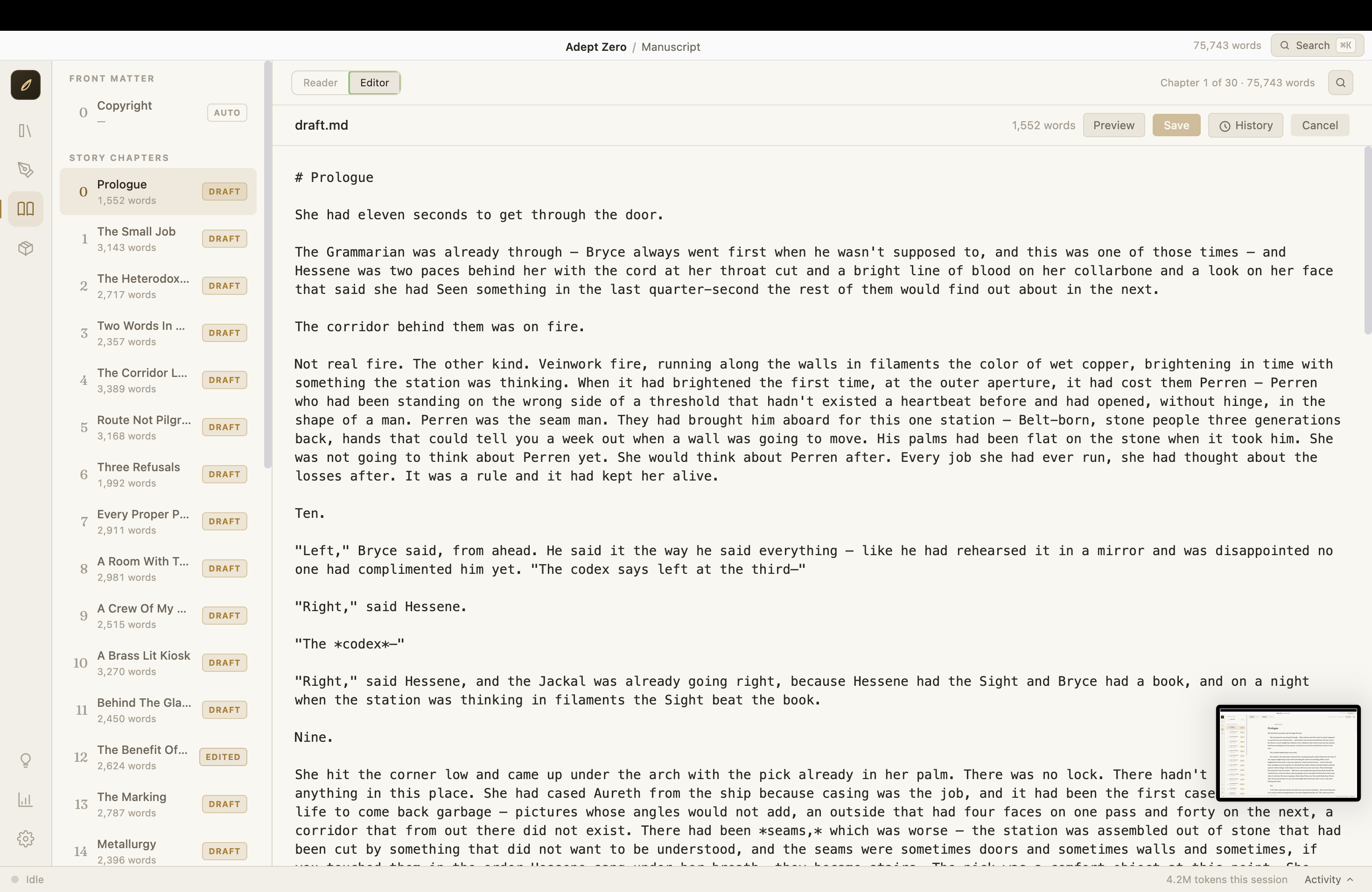
The chapter editor is yours too; your edits get an EDITED badge, you can see a diff of exactly what you changed, and Verity is shown your edits so revisions respect them.
Import your manuscript
Bring an existing book (Word or Markdown) in; chapters are detected automatically, and the AI can backfill the outline, bible, and voice profile.
Version history everywhere
Every change to every file is snapshotted; view any two versions side by side and restore with one click.
Hot Take
A one-click gut-reaction read of your whole manuscript.
Motif Ledger
Tracks recurring imagery, foreshadowing, and overused phrases across the book.
Series support
Group books into a series with a shared series bible for cross-volume continuity.
Statistics
Word-count growth, usage, and cost estimates in friendly charts.
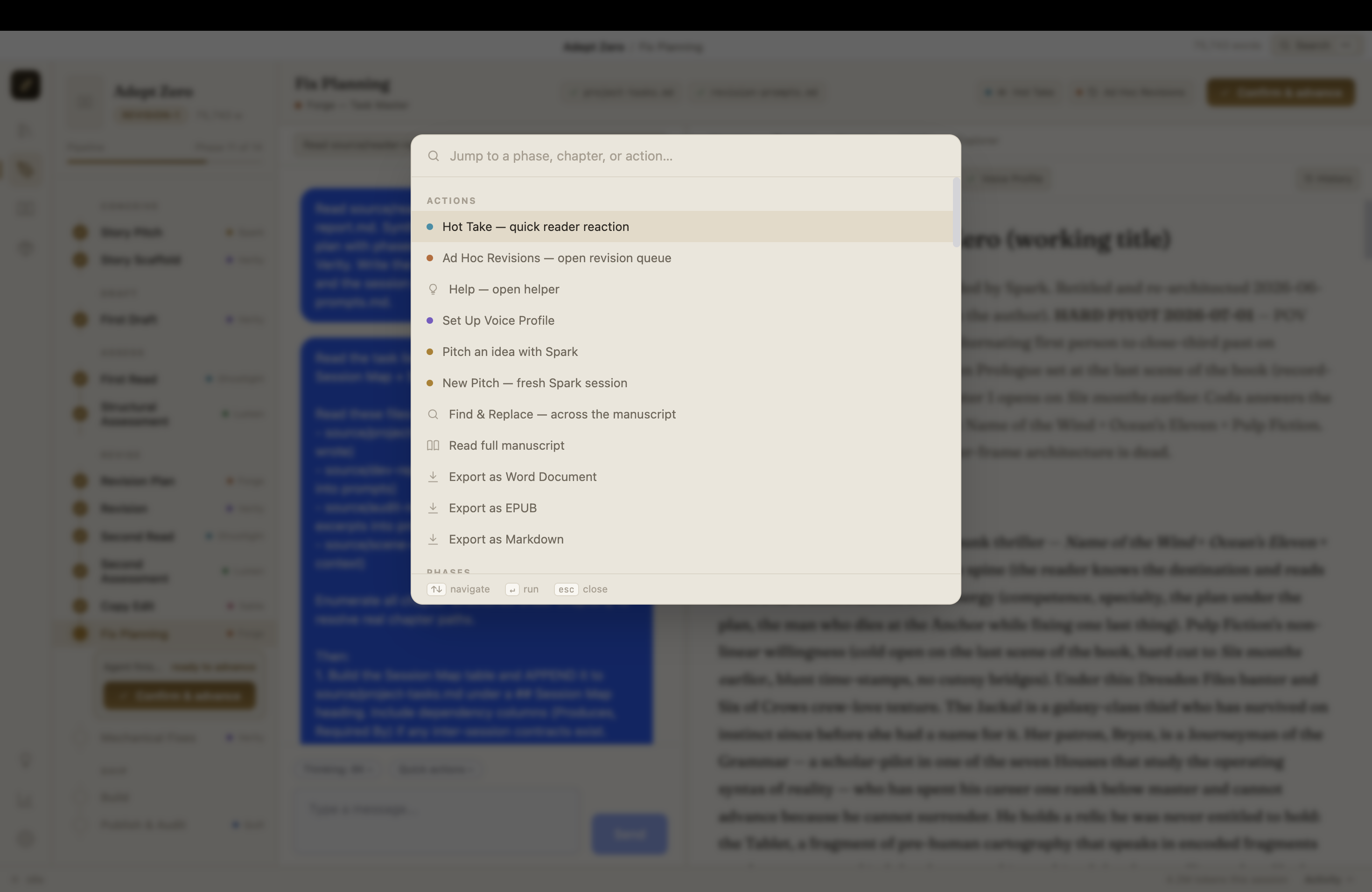
Command palette
Press ⌘K (Ctrl+K) and jump to any chapter, phase, or action.
Works offline-ish
With Ollama, the entire pipeline runs on your machine with no internet at all.
The studio
Before you ask
Do I need to pay for AI?
Where is my book stored?
Is my writing private?
Will using this affect my copyright?
Something broke / I'm confused.
🧪 Testers Needed!
The installers are early builds and have not been tested on all platforms — development happens on macOS, so the Windows and Linux installers especially need eyes on them. If you try one, please report what happens — perfect, crash, or anything in between: open an issue or email john.paul.ruf@gmail.com.
For developers
Electron, React, and TypeScript in a clean five-layer architecture — open source under AGPL-3.0. Run it from source with npm install && npm start.